
DR Dominoes Steam Edition Features Deep Dive
Proximity voice, 3D controls, rooms, and what makes the PC edition unique.
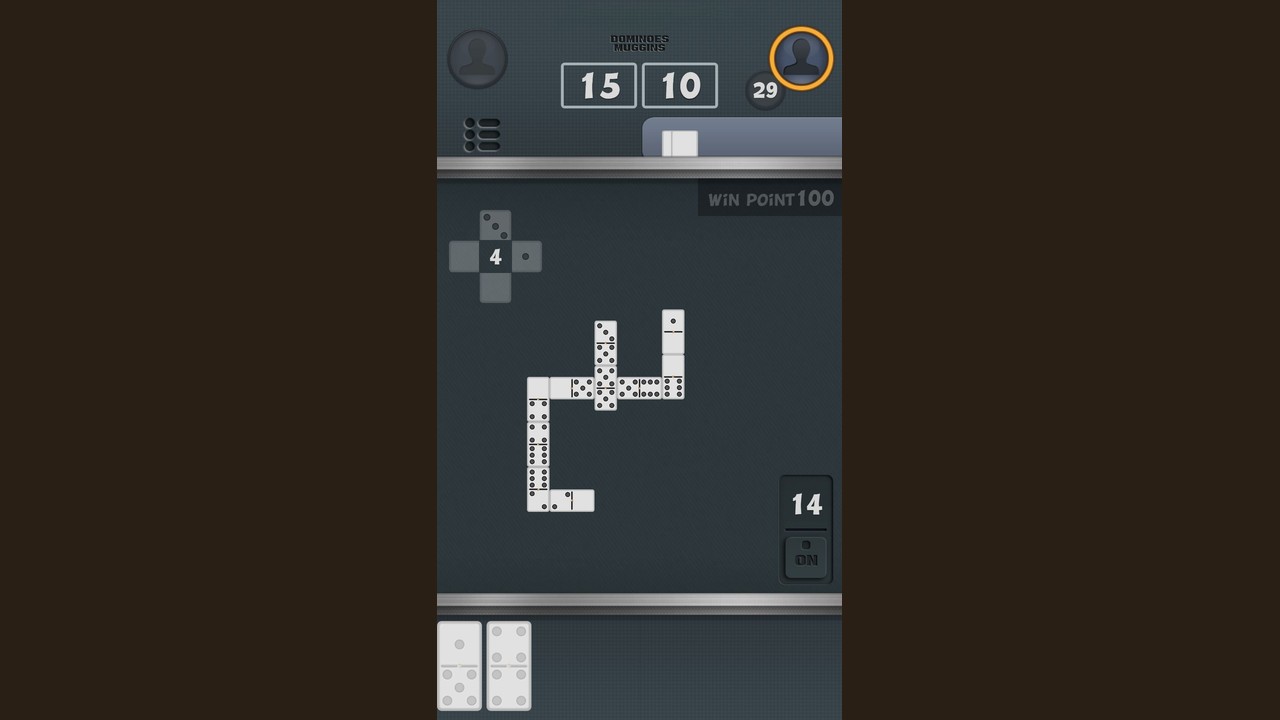
The DR Dominoes Steam edition by Gammes reimagines Dominican partner dominoes as an immersive 3D PC experience. This page covers every feature that sets the Steam version apart from mobile: proximity voice chat, the room system, 3D controls, scoring options, and table etiquette for online play.
3D environment and table
The Steam edition renders dominoes with physical weight:
- Realistic tile appearance — 3D models with proper lighting and materials
- Table that reads at a glance — Clean camera angle shows all open ends clearly
- Corner-turning chain — Domino chain respects table boundaries exactly as in real life
- Smooth animations — Tile placement and scoring feedback feel natural
The camera is fixed to show the full table, open ends, and hand area without clutter.
Proximity voice chat
This is the defining feature of the Steam edition:
- Positional audio — Sound comes from each player’s in-game position
- Partner sounds different — Your partner across the table is clearly distinguishable from opponents
- Opponent on your left — You hear them from the left side of the virtual table
- Text chat available — Toggle the mic off and use text chat for silent play or when comms are not ideal
Proximity chat means the game behaves like a real table: you hear the slap of tiles, complaints from across the table, and the strategic silence of opponents who know what is coming.
Room system
Private rooms
- Host creates a private room and receives a shareable code
- Friends enter the code to join and take their seats
- Host can start when all four positions are filled
- Room codes are short and easy to share verbally or in text
Private rooms are ideal for regular play groups, teaching new players, or competitive matches without matchmaking randomness.
Room browser
The public browser shows:
- Open tables seeking players
- Player count at each table
- Point target settings
Drop into any open table and take an empty seat. Browser tables range from casual 100-point games to competitive 200-point matches.
Offline AI
The AI is not a placeholder opponent:
- Tile counting — AI tracks what has been played and adjusts strategy
- Pass memory — Remembers which tiles you passed on
- Competitive play — Will block, score, and pursue wins seriously
- Adjustable through game choice — Quick 100-point games for practice, longer 200-point games for serious work
Use offline mode to drill openings, test new strategies, or warm up before joining public rooms.
Scoring and house rules
Point targets
Choose before starting:
- 100 points — Quick games, 15-25 minutes
- 120 points — Medium length, 20-35 minutes
- 150 points — Extended sessions, 30-45 minutes
- 200 points — Full wars, 45+ minutes
House rules followed
- Double-six set, 28 tiles
- Four players, two teams (partners opposite)
- Seven tiles per player — no draw from boneyard
- Leads, passes, blocked games
- Capicúas (特殊牌型) scoring
These are Dominican partner rules, not the Muggins family from the mobile app. The Steam edition captures the actual outdoor dominoes experience.
Controls
Mouse controls
- Click to select — Click a tile in your hand to select it
- Click to place — Click an open end to play the selected tile
- Right-click — Deselect or rotate view slightly
- Scroll wheel — Zoom in/out on the table
Keyboard shortcuts
- Space — Confirm tile placement
- Escape — Cancel selection
- Enter — Open text chat
- T — Toggle text chat focus
Audio controls
- M — Mute/unmute microphone
- Volume slider — Adjust individual player volume
- Push-to-talk option — Enable in settings for cleaner audio
Table etiquette online
Playing online with strangers benefits from basic etiquette:
- Be patient during lead selection — First play sets the tone; give leads time
- Respect the pace — Fast play keeps games moving; excessive stalling frustrates
- Use text chat for breaks — If you need to step away briefly, announce in chat
- Partner communication — Some table talk is expected; excessive coaching from outside the room is poor form
- Report issues properly — Disconnect bugs should be reported with details, not rage-quit
The proximity voice chat makes the table feel real. Treat it like a real dominoes table: social, competitive, but respectful.
Settings menu
Key settings to review before your first game:
- Audio input device — Select your microphone
- Push-to-talk toggle — On by default; adjust to open mic if preferred
- Player volume sliders — Individual volume per seat
- Resolution and graphics — Scales from laptop to 4K displays
- FOV slider — Adjust field of view for comfort (new in v2.4.2)
Related pages
- Steam Hub — Overview and platform comparison
- Steam Patch Notes — v2.4.2 and update history
- Mobile Guides Hub — All Fives and strategy for the mobile app
The Steam edition transforms dominoes from a mobile time-killer into a social PC experience. Proximity voice chat and 3D tiles make every game feel like an actual table, whether you are playing AI offline or sitting down with strangers across the world.
FAQs
- How do I create a private room? Host a new game and share the generated code with friends before starting.
- Can I adjust the FOV? Yes. v2.4.2 added an FOV slider in settings.
- Is proximity chat available in offline mode? Yes. The AI and empty seats are silent; real opponents in online rooms use full positional audio.
- What is capicúas? A特殊牌型 in Dominican dominoes where both open ends match the same number — scoring varies by house rule.
- Can I play solo against AI? Yes. Offline mode seats you against AI opponents at your chosen point target.
Frequently Asked Questions
Quick answers to the most common questions.
How does proximity voice chat work?
Audio is positional based on each player's in-game seat position. Your partner across the table sounds distinct from opponents on your left and right.
Can I disable voice chat?
Yes. Toggle your mic off or use text chat exclusively. Individual player volumes are also adjustable.
How do private rooms work?
Create a private room, get a shareable code, have friends enter the code to join and take seats, then start when ready.
What graphics settings are available?
Resolution scaling from laptop to 4K, FOV slider (added in v2.4.2), and standard quality options.
Is the AI competitive?
Yes. The AI counts tiles, tracks passes, and plays seriously. It provides a genuine practice opponent.